
OpenTable is a worldwide online restaurant reservation service that helps you find new restaurants and experiences and offers takeout. It allows users to discover, share review, and book restaurants.
I teamed up with another designer to iterate on the social experience in OpenTable’s mobile app. We focused on increasing trust and making it easier for users to connect with friends and users with similar interests for a better experience.
-
✎ User Research
⇝ Product Strategy
◔ UX Design
❏ UI Design
▥ Prototyping
☺ Usability testing
-
◖ Figma
◖ Figjam
◖ Maze
◖ Notion
◖ OpenTable
◖ Slack
-
▮ 5 weeks
Case Study
Case Study

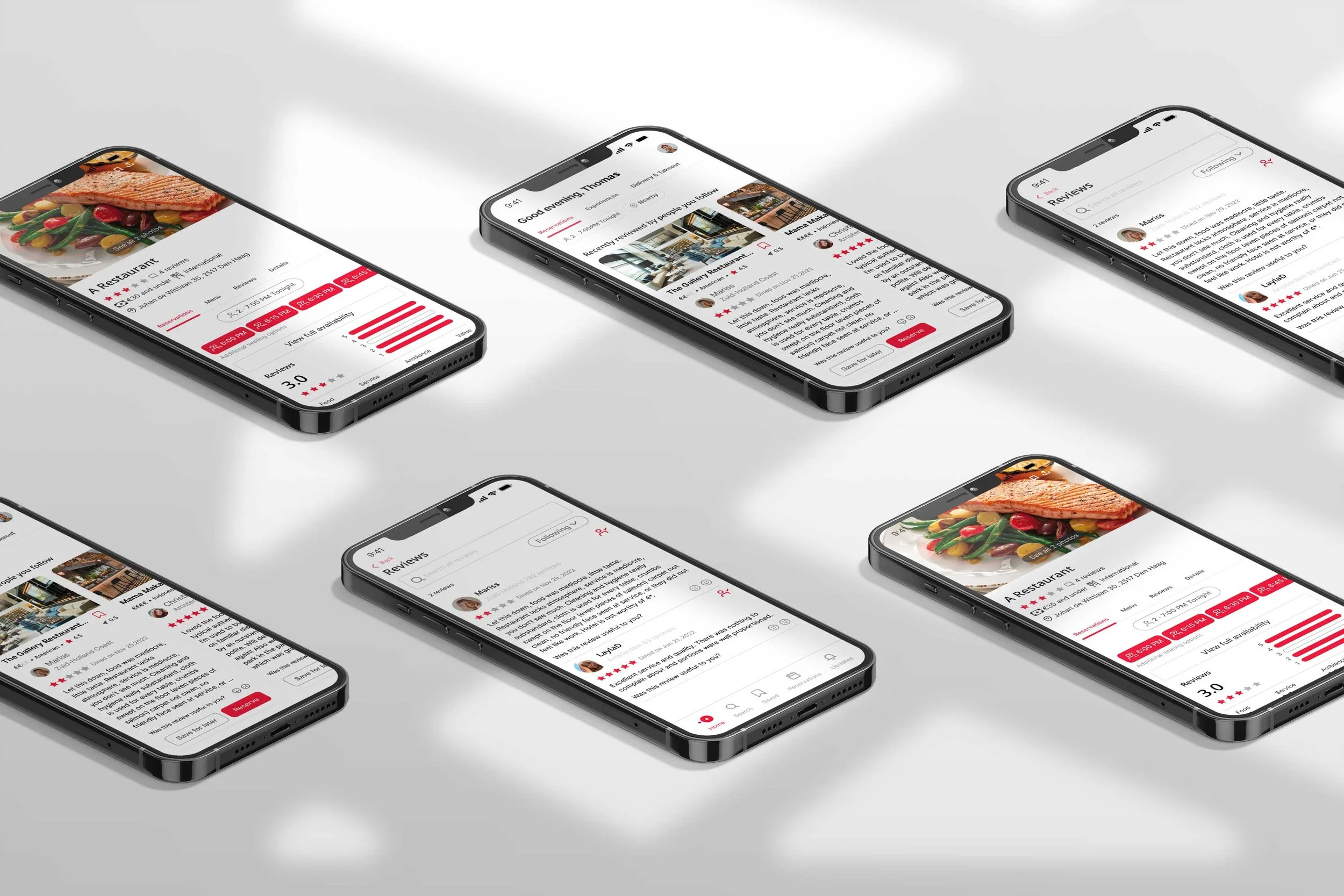
Helping users build trust while using the OpenTable app.
About the project
The problem
Currently, the OpenTable app does not allow existing users to connect with friends and check their latest restaurant reviews, which has decreased engagement and bookings, negatively impacting the company's performance.
The Solution
After performing research to validate our hypothesis, we concluded that reviews need more credibility to foster trust in the app.
Social interaction and reviews have become one of our favorite ways to share or connect with friends and family.
From a business perspective, OpenTable will make it easy for returning users to connect with friends and their restaurant reviews to increase user engagement, improve the conversion rate of bookings, and improve the accuracy of reviews.
Usability Audit
A usability audit evaluates how user-friendly a website or application is. We conducted a usability audit on the Open Table app where the goal was to identify any friction points or confusion for the users to improve the overall user experience.
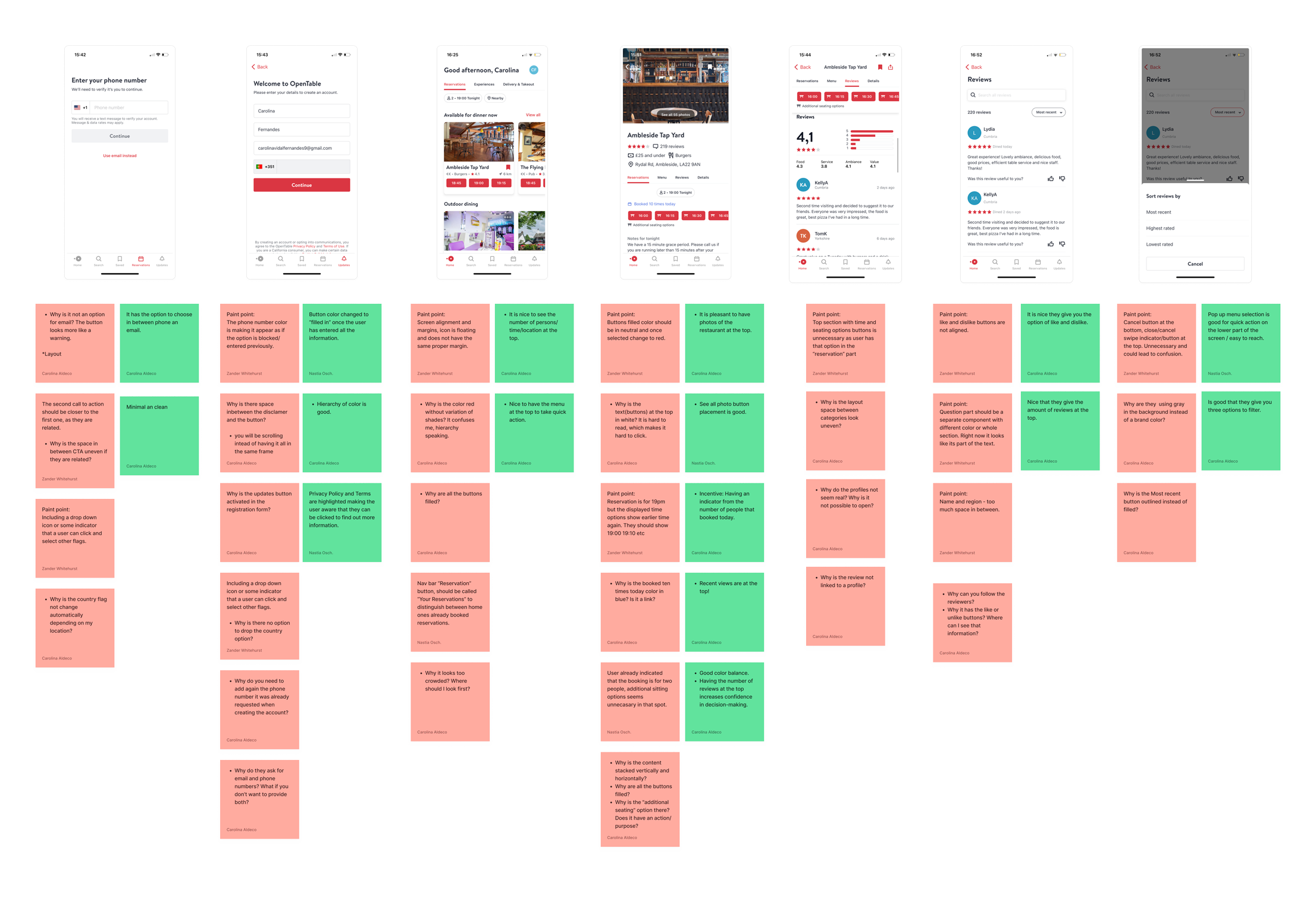
Business & User frustrations
One key finding from the audit was that the reviews were not accessible to other users as they lacked real names or avatars. This lack of social connection and trust was determined to be a missed opportunity for the app.
When reviewing or interacting with a review in the OpenTable flow, users cannot open the reviews or profiles of reviewers, resulting in a lack of trust and social interaction to connect with friends and other users.
“As a weekly returning user, I need to see my friends’ reviews of restaurants so I can be confident in booking a table.”

Competitor Benchmarking
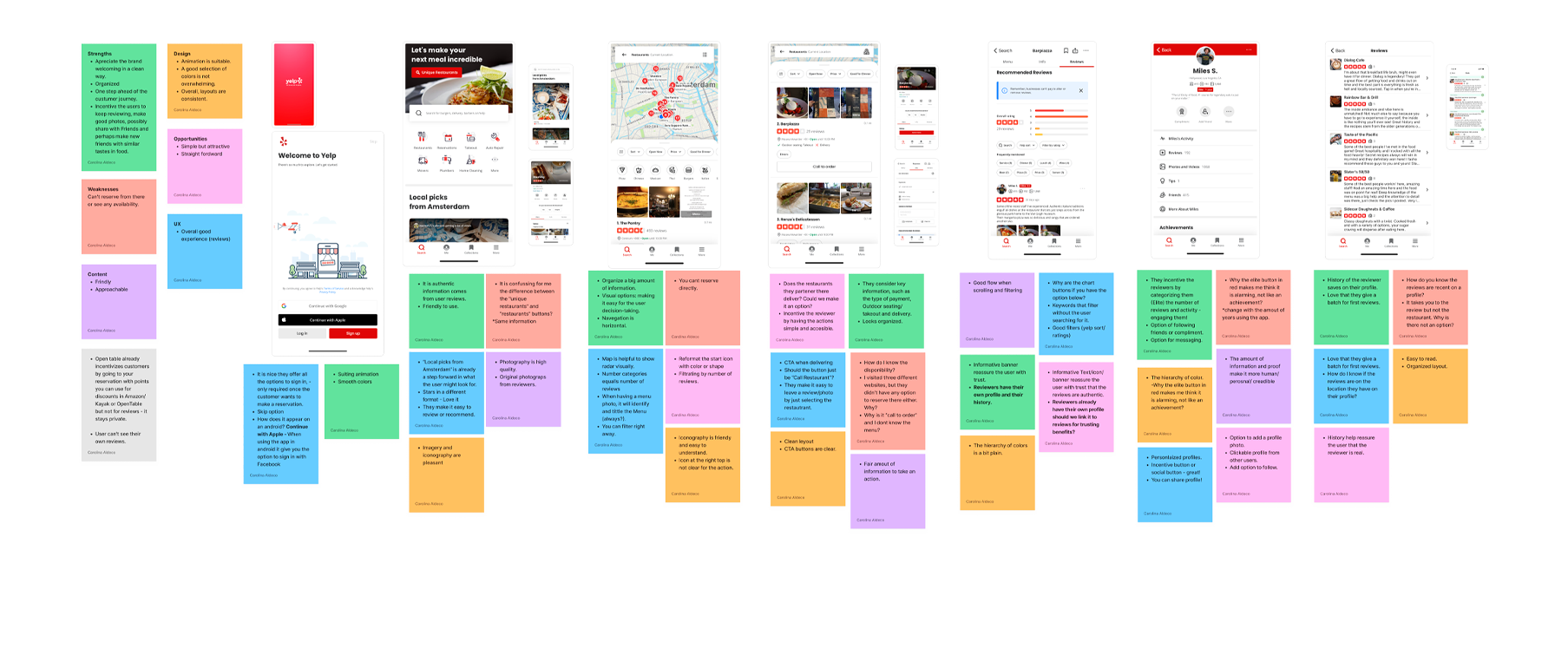
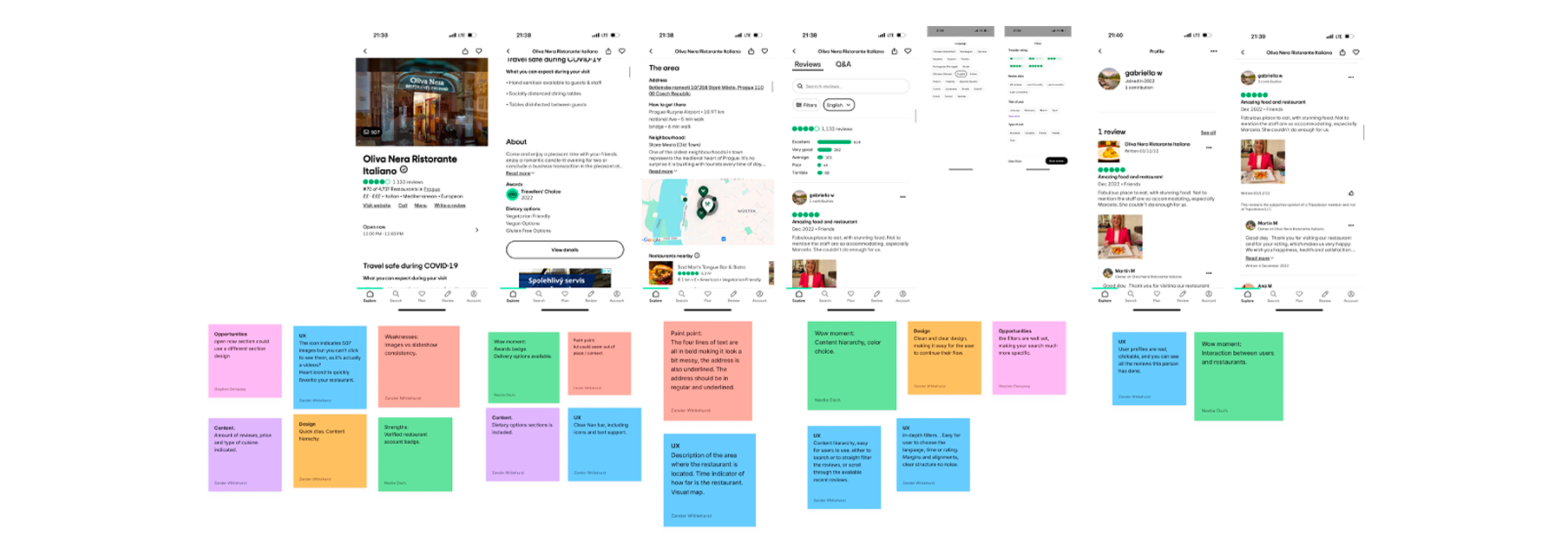
One key finding from the competitor benchmarking of similar apps to OpenTable was that reviews are important for users. Other companies, like those researched, have a strong focus on creating profiles for their users to build trust and encourage interaction within the app. These profiles typically include the ability for users to share photos and comments and follow one another. By focusing on this aspect, other companies have been able to create a sense of community and enhance the overall user experience.
We intended to find inspiration and adapt by adding flow elements to the current experience to meet user and business goals and needs. We focused on five key metrics while analyzing competitors: strengths and weaknesses, content, design, UX, and opportunities to help find unique features and insights.
Ideation
We started ideation after understanding the problem via the usability audit, investigation of business and user frustrations, and competitor benchmarking. That way, we ensured that the ideas generated were relevant and tailored to solving the specific issue at hand.
We began by creating a mind map that allowed us to add to or enhance existing processes. The mind map provided us with various options to present to the team. Our focus in this stage was streamlining processes to reduce the cost and time spent on future improvements.
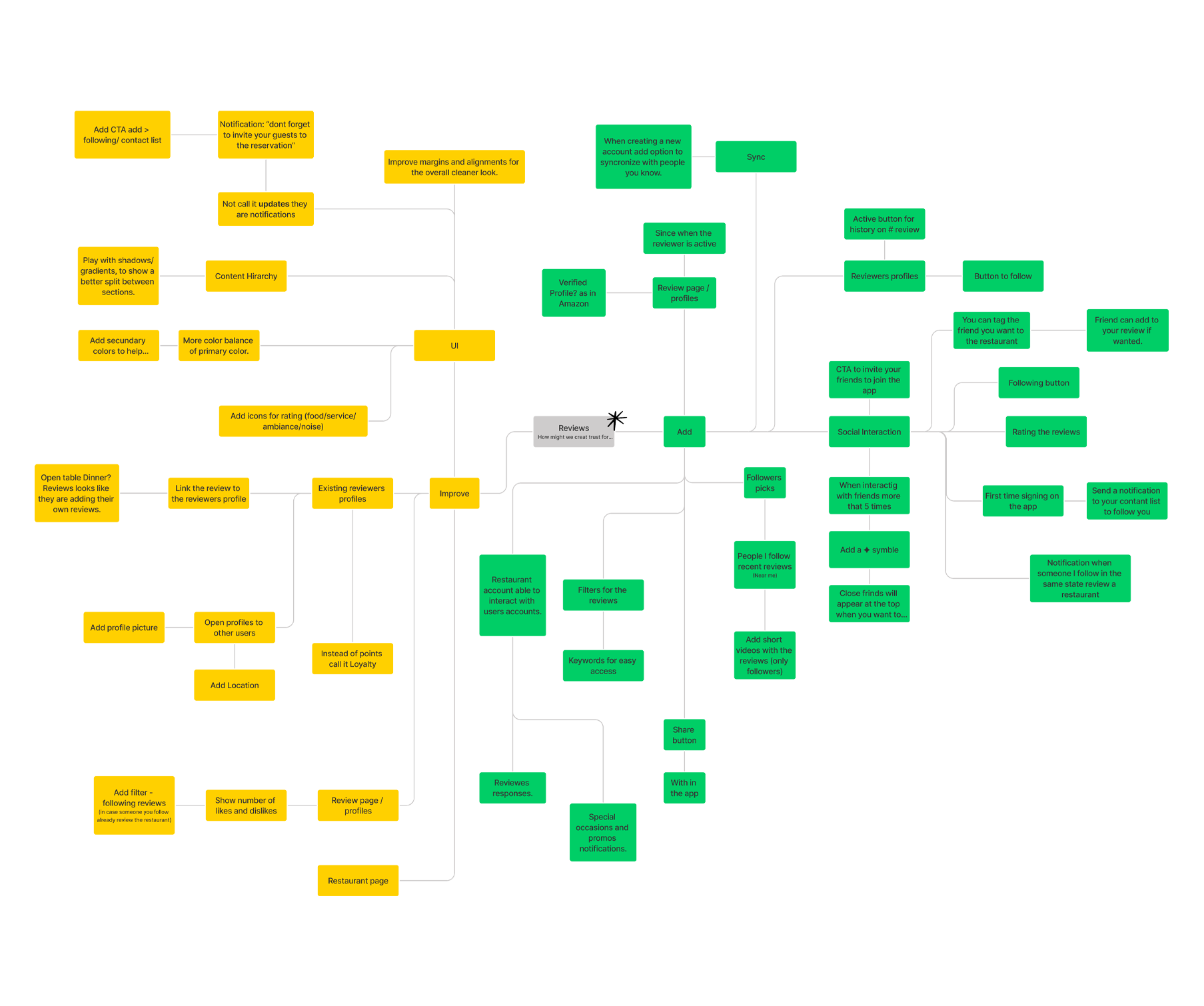
We began by creating a mind map which allowed us to add to or enhance existing processes. The mind map provided us with various options to present to the team. Our focus in this stage was streamlining processes to reduce the cost and time spent on future improvements.
After visualizing these concepts, we narrowed our ideas down further and completed a priority matrix.
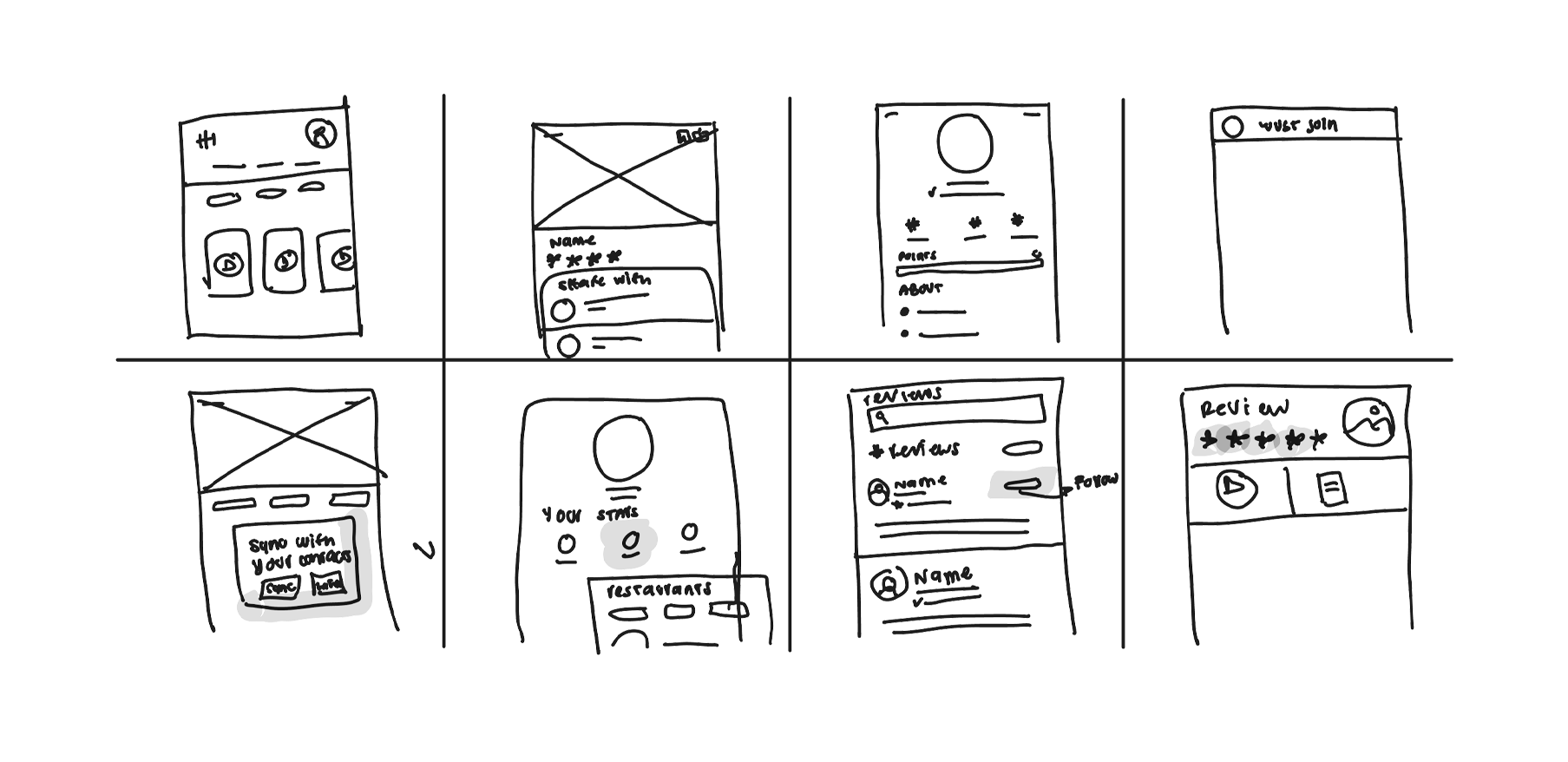
User Flow
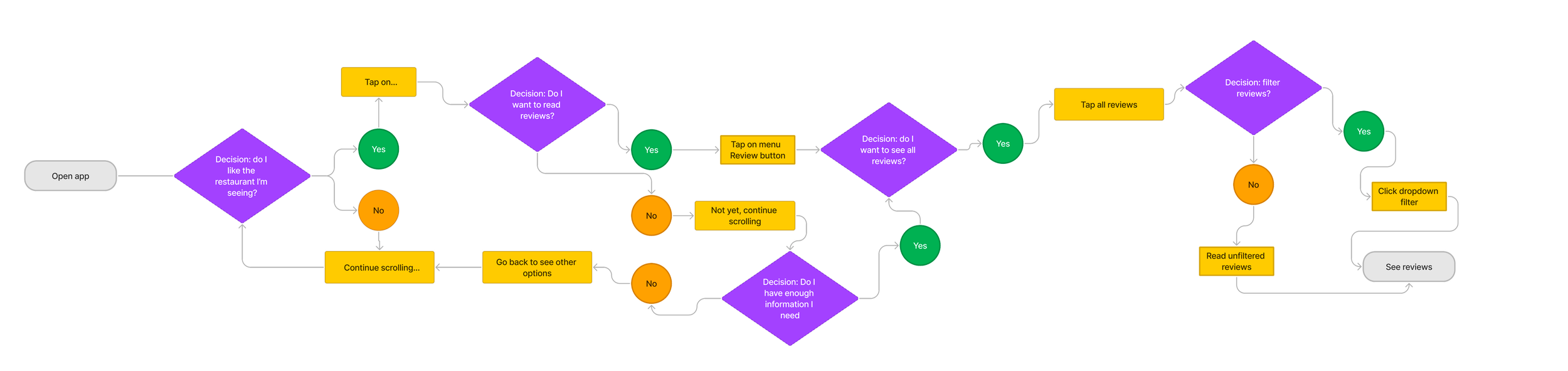
We recreated the current user flow from the OpenTable app to help us visualize the steps a user takes to accomplish a task or achieve a goal within the app. This information is helpful in several ways.
Firstly, we found pain points where the user might be feeling frustrated. Some examples were the inability to engage in social interaction on account profiles as well as missing information on user profiles, including generic names and no photos. All these factors combined to drive down both trust in reviews and reviewers.
Secondly, understanding the current user flow enabled us to identify opportunities to streamline processes related to profiles and reviews and make them more efficient. These opportunities included:
Currently, OpenTable only allows users to see their own profiles. We wanted to open these profiles to all users to enable social interactions, such as following another user, looking at their past restaurant reviews, etc. We also wanted to add a profile picture to enhance trust.
Once we enhanced profiles and made them visible to all users, the user can create a group of friends (that they follow) and get a feed on their home page with updates from their friends. An example of such an update is a recent review of a restaurant by a friend.
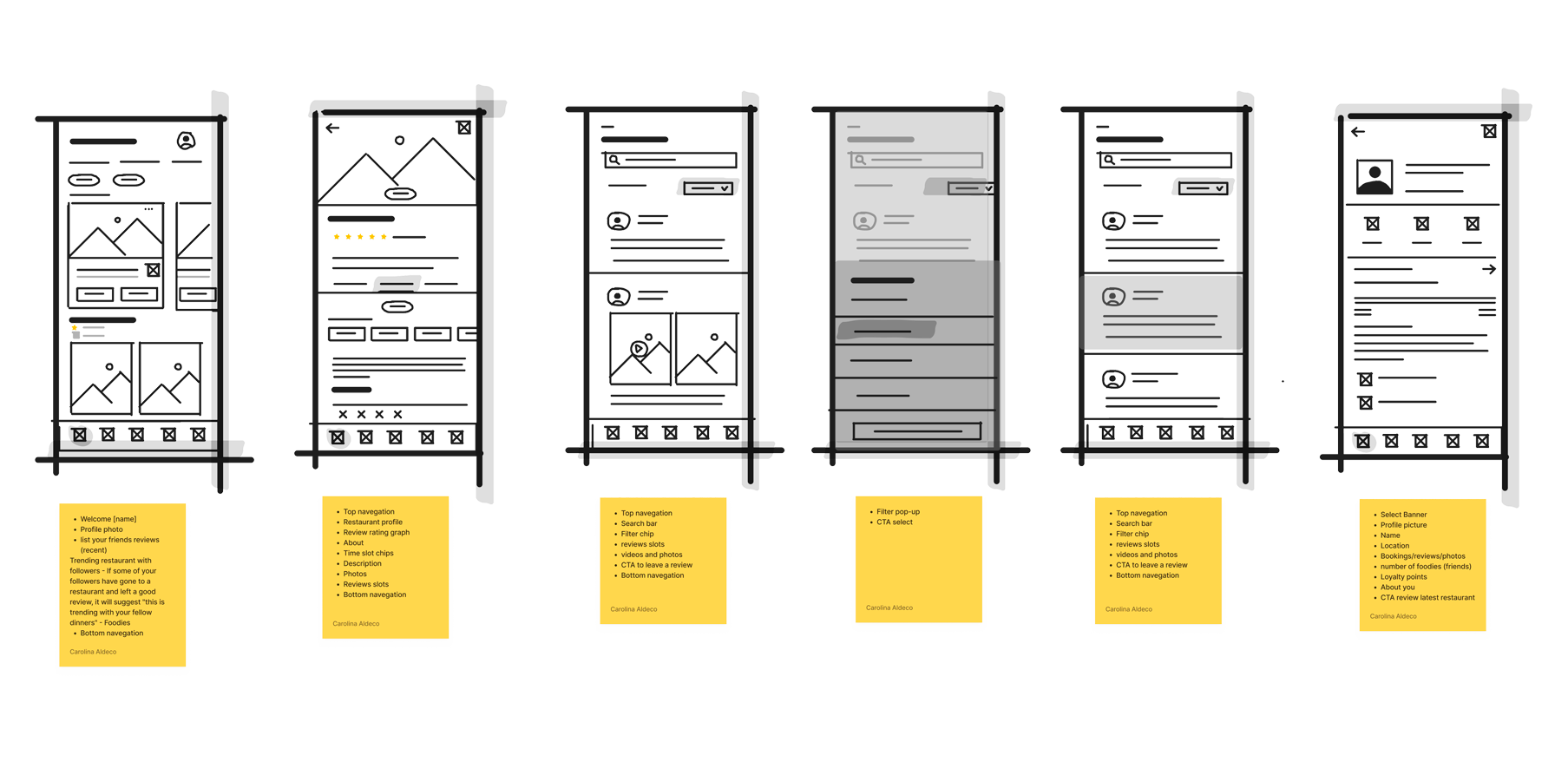
We decided to return to the drawing board and made a second iteration that clarified the path we wanted the user to take.

Rapid Prototyping
Rapid prototyping is a valuable tool in the product development process because it allows us to validate ideas quickly, get feedback, improve communication, speed-up development, and reduce risk by identifying potential issues early in the development process, which can be addressed before significant resources are invested in the final product.
UI Styles
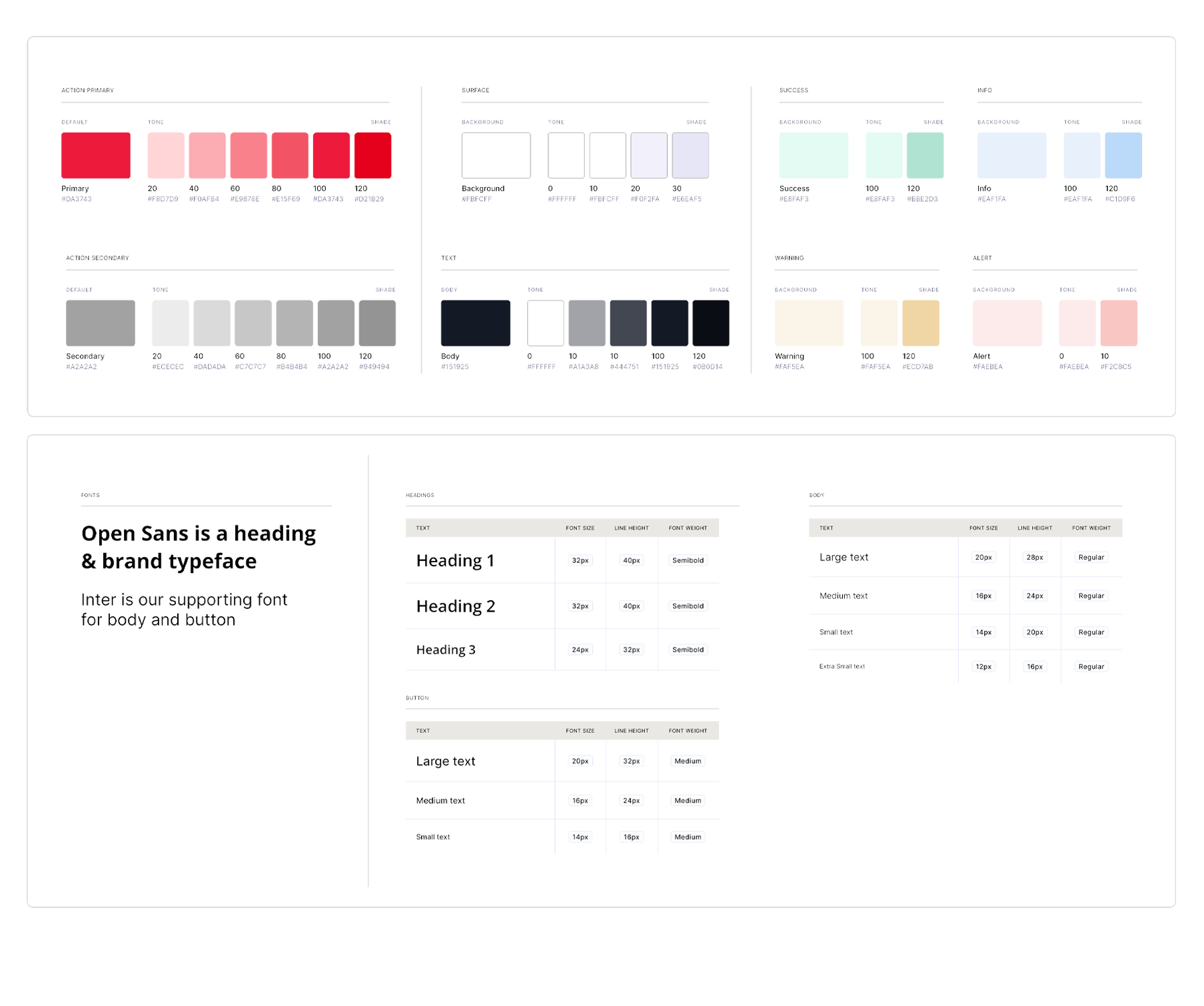
The UI styles help us to ensure brand consistency, usability, aesthetics, accessibility, user engagement, and maintainability.
Components
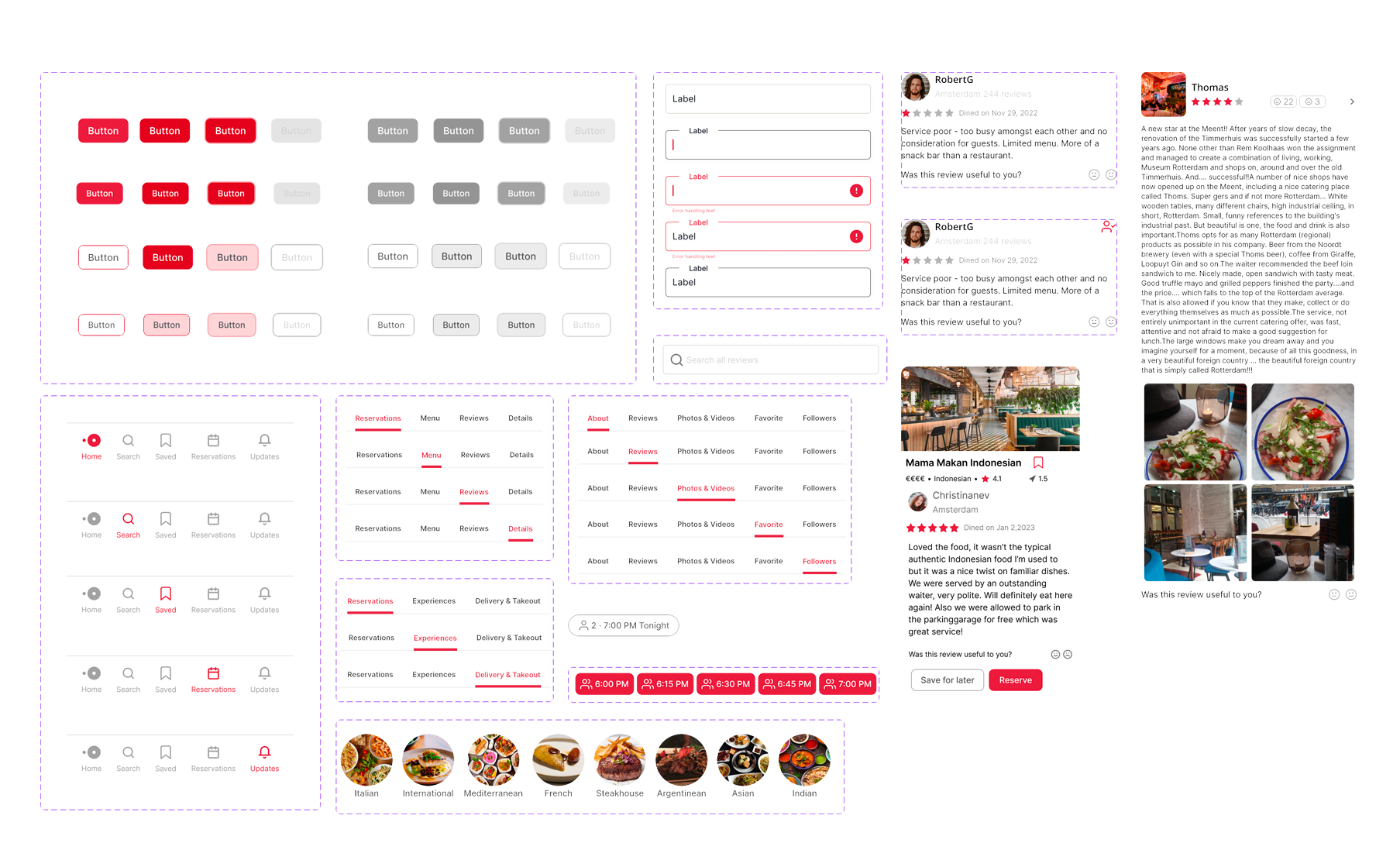
We used the styles to create a comprehensive set of components to ensure that our prototype would be interactive and engaging. We carefully assigned micro-interactions to each component to create visual cues. We used these cues in our high-fidelity prototypes.
High Fidelity Prototype
We created high-fidelity prototypes that give a more accurate representation of what the final product will look and feel like, allowing for more detailed feedback from stakeholders and users. We used the prototype for user testing to gather valuable feedback on the design, functionality, and user experience.
Having tangible feedback facilitated communication and collaboration between the team, helping us to make informed decisions about the design and functionality of the product.
Usability Testing
Once we had a functional prototype, we created sets of questions that we separated per block to upload on Maze (an online UX research tool that helps teams conduct usability testing and other qualitative and quantitative research) with the end goal of having direct feedback from possible users on the experience and overall prototype.
Test outcomes
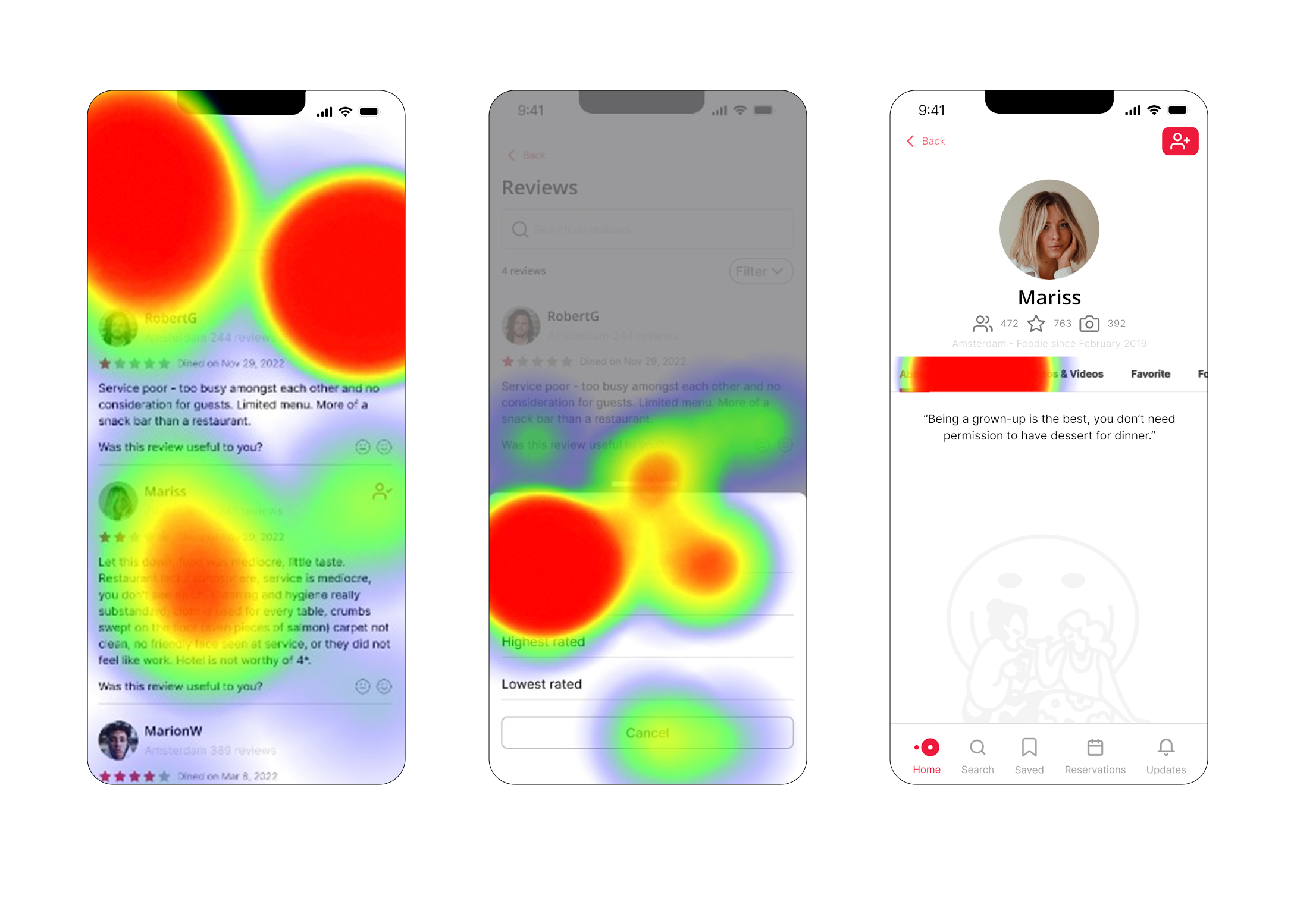
From the user testing, key learnings were gained about user preferences and behaviors. We confirmed that users like to click on reviews to learn more about other users and appreciated the control provided by the "following" button. Additionally, we found some issues regarding the placement of buttons and tasks on the main page, which will be addressed in future updates.
Three key learnings
The follow button was familiar to users, but finding it was challenging. To address this, we will make it more visible by repositioning it in the future.
1
Having a profile is highly beneficial for users, as it provides them with additional information about the person reviewing, which helps build comfort and trust.
2
The recent reviews in the "people you follow" section were found to be overwhelming by users, even though the home page was similar to what OpenTable currently offers. In the future, the section will be renamed, and the hierarchy of information displayed on the main page will be reconsidered and presented in a more user-friendly component for ease of access.
3
Next steps
Optimizing the home page by rearranging the information.
Integrating the new feature "people you follow".
Making the follow button more accessible by placing it near the profile picture.
Conducting additional usability testing.